Adding AI features to your app is the request we hear most from founders right now. The conversation usually starts the same way. A competitor put "AI" in their release notes, the board noticed, and now there's pressure to match it before next quarter.
The urgency is understandable. But the story often ends the same way. The feature ships, the launch post gets a few likes, and three months later the usage chart is flat.
This is not an isolated problem. A 2026 Banyan Software benchmark of more than 260 founders, CEOs, and operators at vertical-market software companies, reported by CIO, found that 51% said fewer than one in four customers used the AI features their companies had built.
The finding highlights a practical challenge for software businesses: shipping an AI feature does not guarantee adoption.
The key is to start with the user's task, not the technology. People are more likely to use AI when it removes a frustrating step from a workflow they already understand. An extra chat panel or a feature added mainly to put ‘AI’ in a release note can create more work.

Why Many AI Features in Apps Get Ignored
Most AI features are designed backwards. The team starts with the technology, usually "we should plug in a language model," and then hunts for somewhere to put it. The result is often a chat panel or a sparkle icon tucked into a corner of the screen.
That placement is the real problem. A chat box makes the user stop what they're doing, think of the right question, type it, read a long answer, and then decide whether it's correct. For an operations manager clearing a queue or a customer checking an order on their phone, that isn't help. It's homework.
The second mistake is building for the demo. Demos reward the impressive: generate a full report, write the whole email, answer anything. Daily use rewards the dull: fill in this field, find that order, flag the one ticket that matters before lunch. Those two lists rarely overlap. Teams that design for the boardroom end up with features nobody opens on an ordinary Tuesday.
The third mistake is skipping the definition of success. If nobody decided before launch what "working" means, a weak feature can sit in the product for a year, quietly running up API bills, while everyone assumes someone else is watching the numbers.
What Users Actually Want From AI Features in Apps
AI features are more likely to earn repeat use when they shorten tasks users already do, without forcing them to learn an entirely new workflow.
Think about the ones you use without noticing. Your email suggests a quick reply. Your phone pulls the delivery date out of a message and offers to add it to your calendar.
Your banking app sorts spending into categories on its own. None of these announce themselves as AI. They just quietly remove a small, irritating step.
Bring that thinking into a business app, and the strong candidates stand out. A support tool that summarises a long ticket thread before the agent opens it.
An expenses screen that fills itself in from a photo of the receipt. A search bar that understands "orders from last week that haven't shipped" without six dropdown filters. A CRM that drafts the follow-up note the moment a sales call ends.
Users often judge these features on two questions, even if they do not consciously frame them this way. Did this save me time just now? Could I tell at a glance that it got it right? When a feature saves time and makes its output easy to verify, users have a stronger reason to keep using it. Teams still need to measure adoption and improve the experience based on feedback.
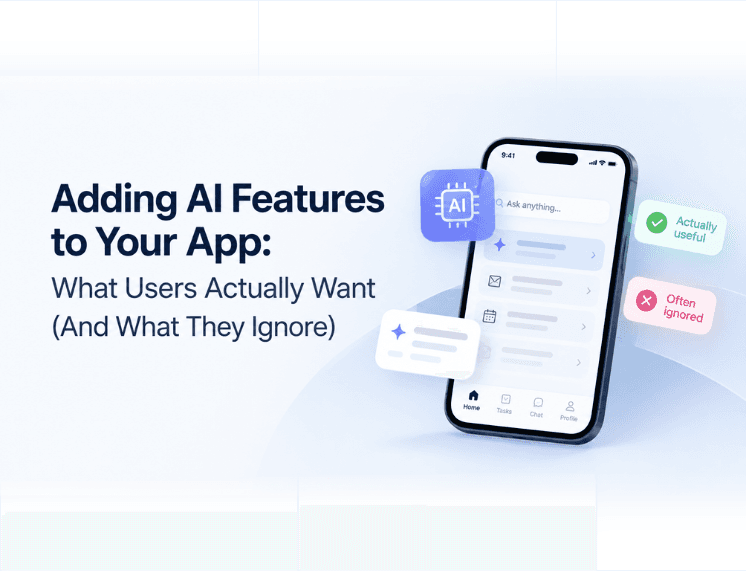
What users ignore | What users keep using | |
Where it lives | A separate AI tab or chat panel | Inside the screen they already work in |
What it asks of them | "What can I help you with?" | Nothing. It acts on what's already there |
What it hands back | Long generated text to review | A short result that's easy to check |
How it's positioned | A paid AI add-on | Part of what the product already does |
Chat still has a place when it has a narrow job. A chatbot designed to answer common customer questions on the page where people usually get stuck can be useful. We covered where that pays off in how AI chatbots are saving businesses time and money. A general assistant bolted onto an app because every other app has one is a different story.
Four Questions to Ask Before Adding AI Features to Your App
Before writing code, assess each AI idea against four questions. An hour spent on this in a planning session can help prevent a feature that would otherwise consume a quarter's budget.
1. Which step does it remove?
Name the exact action the user takes today and roughly how often. "Makes the app smarter" doesn't count. "Removes manual entry on every supplier invoice" does. If you can't point to a step that disappears, you're looking at decoration.
2. Does it live where the work happens?
The feature should appear on the screen the user is already on. If using it means opening a new tab, switching to a chat window, or learning how to write prompts, it adds friction that can discourage repeat use.
3. Can the user check the result in seconds?
People rely on what they can verify. Put the source document next to the extracted data. Let the user accept, edit, or reject the output with a single tap. If checking a result takes longer than doing the task manually, users may stop relying on it.
4. What number tells you it worked?
Pick it before launch. Clicks on an AI button tell you very little. Minutes saved per task, tasks finished without manual correction, or a drop in support tickets tell you whether the feature pays for its running costs.
A practical rule: if an idea fails two of the four questions, pause it and prioritise ideas that meet all four criteria.
Where AI Can Help, by Type of App
The right feature depends on what your users spend their day doing. Here are examples of where AI can help in mobile and web apps.
SaaS platforms and internal tools. These products are full of reading and typing, so that's where AI should go to work. Summaries of long records, editable draft replies, and data lifted straight out of uploaded documents all win back real hours. For many B2B tools, natural language search is a useful feature to consider. It replaces a wall of filters that most users never learn properly.
Ecommerce and customer apps. Shoppers want the right product quickly. Search that understands "waterproof running shoes for wide feet" beats a keyword box every time, and recommendations built on what a customer actually viewed and bought beat a generic bestsellers row.
The business value comes from helping shoppers find relevant products faster and making recommendations more useful. Track measures such as search-to-purchase conversion and product discovery to see whether the feature is helping.
Service and booking apps. The value lives in follow-up. Confirming appointments, sending reminders, and filling cancelled slots are perfect jobs for AI because they're repetitive and time-sensitive. Once those tasks stretch across your calendar, CRM, and messaging tools, you're really building an AI agent rather than a single feature.
Our guide to ways AI agents can grow your business explains when that step makes sense, and our breakdown of customer support AI agent costs shows how to check whether it pays back.
Field and operations apps. People on site have their hands full and a small screen. Turning a voice note into a structured job report, or a photo of a damaged part into a pre-filled claim, removes the typing they hate most.
If you already have a working product, you rarely need to rebuild it to add any of this. Many of these features can be added to an existing codebase through focused AI integration work, depending on the app's architecture and data access.
How to Roll Out AI Features Without Losing Trust
A good feature can still fail on launch day if it's introduced badly. A careful rollout can help teams learn whether a feature is useful before making it available to everyone.
Ship one feature first, not five. A single, well-placed feature gives you clean data on whether it works and a simple message for users. Launch five at once, and you can't tell which one is helping. Worse, if one of them gets something embarrassingly wrong, users start doubting all the others too.
Show the work and make it reversible. When the AI fills in a form, mark the fields it filled. When it summarises a document, link back to the original. Always give users a one-tap way to edit or undo. People trust a system they can correct far more than one that asks them to take its word for it.
Let it earn the default. Consider launching AI features as optional first. Track how many people keep them switched on, and make them standard only when usage data shows that they help. This also gives your support team a few weeks to learn where the feature trips up before every customer sees it.
Be plain about data. Tell users in simple language what the AI can see, where that information goes, and whether it's used for training. If your app handles personal data, review the privacy laws that apply to your users and business.
For products covered by the GDPR, plan for applicable data protection requirements from the start rather than treating privacy as a last-minute addition.
The Cost of Adding AI Features to Your App
The cost depends on your product and the feature you want to add. Clean, well-organised data can reduce implementation effort. Data scattered across old systems can make a project slower and more expensive because the team first needs to make that data accessible and reliable. A realistic estimate requires reviewing the app, its integrations, and the feature requirements.
What founders most often forget is the running cost. Unlike a normal feature, AI keeps charging you after launch. Every request uses paid model capacity, and the bill grows with your user base. You also need monitoring to catch wrong answers before your customers do. Put both in the budget from day one. For a wider picture of how software budgets break down, our guide to custom software development cost is a useful starting point.
The best AI feature is not necessarily the one that gets the most attention at launch. It is the one users continue to rely on because it has become a useful part of the product. If you want help finding that feature, talk to the Flaidex team. We can review your app with you and identify an AI addition that fits your users' needs and workflows.
Frequently Asked Questions About Adding AI to Apps
What AI features should I add to my app first?
Start with the task your users repeat most and enjoy least. Document data extraction, short summaries, and plain language search are reliable first choices for most business apps.
Why don't users use the AI features we built?
Usually because the feature sits outside their normal workflow or produces results they can't check quickly. Move it into the screen where the work happens and make the output easy to verify.
Can I add AI to my app without rebuilding it?
Yes. Many AI features can be added to an existing app through APIs and integration work, depending on the app's architecture and data access. A rebuild may be necessary if the current platform cannot safely provide the data or functionality the feature needs.
Should I charge extra for AI features?
It depends on the value the feature provides and how your product is priced. If it improves a core workflow, including it in an existing plan may make sense. If it creates a distinct, measurable benefit with meaningful ongoing costs, a separate tier or usage-based price may be worth testing with customers.