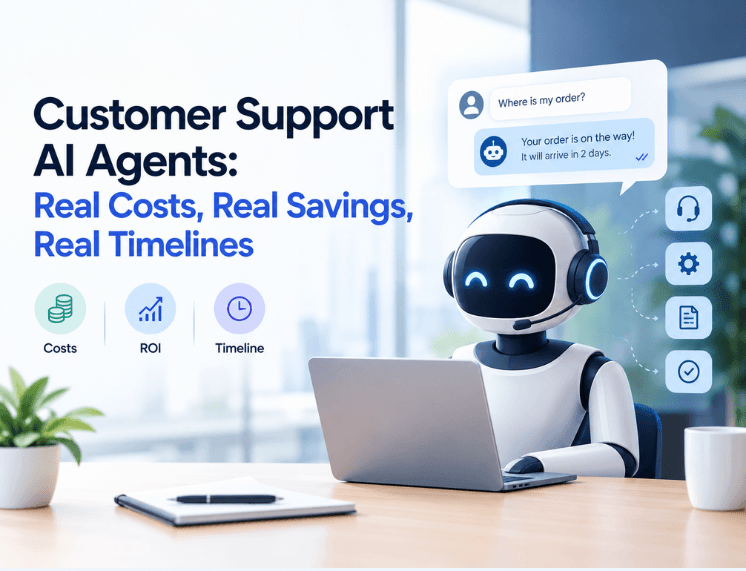
Your support costs grow every time your customer base does. More customers mean more tickets. More tickets mean more hires, more training, and more team leads to manage them.
Customer support AI agents promise to break that link. The problem is that most of what's written about them comes from vendors with something to sell, so the best case gets presented as the normal case.
This guide takes a different approach. It covers what these projects cost, where the savings actually come from, how long a proper rollout takes, and why so many companies get the math wrong before they write a single line of code.
What Customer Support AI Agents Actually Do
Start by understanding the difference between an AI agent and the chatbot you may already use.
A traditional chatbot typically follows a script or retrieves information from a knowledge base. It may hand the customer to a human when it cannot answer a question. Some chatbots can resolve simple requests, but they may struggle when a task requires access to business systems or several steps.
An AI agent can do more when it has permission to connect to your systems and take specific actions. For example, it could check an order's status, process a refund that meets your policy, or update an account. It can also record the interaction in your helpdesk. What it can safely complete depends on the integrations, permissions, and safeguards you put in place.
That difference is why research firms are paying attention. Gartner predicts that by 2029, agentic AI will resolve 80% of common customer service issues on its own, without a human stepping in, and that this will cut operational costs by 30%. Read that carefully. It's a forecast for the end of the decade; it covers common issues and describes where the technology is heading, not what a typical deployment delivers today. Plan around what you can measure in your own ticket data, not around a headline.
Why So Many Customer Support AI Agent Projects Miss Their Targets
Before we get to costs, it helps to understand why projects fail. Failure is the most expensive outcome.
The pattern is consistent. A leadership team sees an impressive demo, assumes the AI will take over most of the support queue, and builds a budget around cutting headcount. Six months later, the agent handles the easy questions well, struggles with anything messy, and customers are frustrated that they can't reach a person.
Gartner forecast in June 2025 that by 2027, half of organizations that expected to reduce their customer service workforce significantly would abandon those plans. Gartner made this prediction in its June 2025 announcement.
One of its analysts told The Register that projects built on the expectation that generative AI would answer every customer query were falling short, both on results and because of costs the companies hadn't anticipated.
Klarna offers a well-known example of the trade-offs. The company said its AI assistant handled work equivalent to more than 700 full-time agents.
In 2025, Klarna said it wanted customers to have the option of speaking with a human and discussed bringing human support back into its service model. The example shows why workload estimates should not be treated as proof that a company can eliminate human support.
Read more about Klarna's change in approach.
The AI didn't fail. It handled routine work at scale. The mistake was treating customer support as nothing more than routine work.
A Gartner survey published in December 2025 found that only 20% of customer service leaders surveyed had reduced agent staffing because of AI. The result suggests that many organizations are using AI to support existing teams rather than replace them.
See Gartner's survey findings.
The winning model puts AI on the repetitive, high-volume tickets and frees your people for the conversations that keep customers loyal. Budget for that model and your numbers will hold up.
Where the Money Goes
Nobody can give you an honest single price for an AI support agent without seeing your systems first. Costs swing widely depending on how many tools the agent must connect to, how clean your knowledge base is, and how much the agent is allowed to do on its own. Anyone quoting a flat figure before looking at your stack is guessing.
What you can know upfront is where the money goes.
Cost area | What it covers | One-time or ongoing |
Discovery | Auditing ticket history, picking which request types to automate, mapping workflows | One-time |
Integration | Connecting the agent to your helpdesk, CRM, order system, billing, and identity tools | One-time, plus maintenance |
Knowledge preparation | Rewriting outdated help content, filling gaps, settling policy questions | One-time, then continuous |
Usage | AI model costs or per-resolution platform fees, which scale with volume | Ongoing |
Tuning and oversight | Reviewing conversations, fixing wrong answers, adding new request types | Ongoing |
Two lines on that table catch people out.
The first is knowledge preparation. An AI agent's answers depend in part on the quality and consistency of the information it can access. If your help center contradicts itself, or your refund policy lives in one team lead's head, the agent will expose that on day one.
Fixing it is real work, and it often takes longer than the technical build. It also pays off beyond the AI project, because your human agents benefit from the same cleanup.
The second is ongoing oversight. An AI agent isn't something you install and forget. Products change, policies change, and customers find new ways to phrase old problems. Someone has to own the agent's performance every week. That can be a person on your team or a development partner on retainer, but it must be someone.
The integration line is where architecture decisions matter most. An agent that only reads your FAQ costs far less to build than one that can issue refunds, but it also saves far less. The value sits in the actions. Our AI integration and custom software services focus on exactly this layer, because it's where the return comes from.
How to Calculate AI Customer Service ROI Honestly
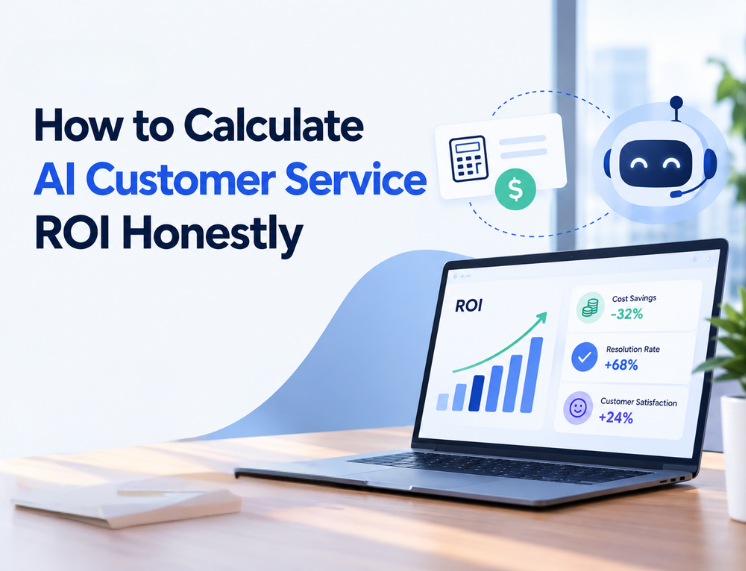
Skip the vendor calculator. Run the numbers on your own data.
Start with your fully loaded cost per ticket. Take the total annual cost of your support operation (salaries, benefits, software, management time, training, recruitment to cover turnover) and divide it by the number of tickets resolved in a year. Most leaders have never calculated this figure, and it's almost always higher than they expect.
Next, pull three months of ticket data and sort it by request type. You're looking for high-volume, low-complexity requests that follow clear rules: order status, delivery questions, account access, simple billing changes, return eligibility. These are your automation candidates. Complaints, disputes, and anything involving judgment or emotion stay with humans.
Now build a conservative scenario. Here's a hypothetical example to show the method. Say your team handles 10,000 tickets a month at a fully loaded cost of €8 per ticket. Your data shows that 40% of tickets fall into clear, rule-based categories.
If the agent fully resolves half of those tickets during its first few months of operation, that's 2,000 tickets a month leaving the human queue, worth €16,000 a month in handling cost before you subtract the agent's running costs. This is a hypothetical example, not a forecast or a reported customer result. Swap in your own figures. The structure is what matters.
One warning about the metric you track. Many platforms report "containment," meaning the customer didn't reach a human. That isn't the same as resolution. A customer who gives up and leaves counts as contained, but you haven't solved their problem, and you may have lost them for good. Measure whether the issue was actually fixed, using follow-up surveys, repeat contact rates, and refund or cancellation data.
There's a second source of savings that most ROI models ignore, and it shows up on the human side of the team. A study published by the National Bureau of Economic Research examined 5,179 customer support agents using an AI assistant.
The tool increased issues resolved per hour by 14% on average, with a 34% improvement for novice and lower-skilled workers. Read the study. The researchers also found evidence of improved customer sentiment and employee retention.
In practice, that means the same AI investment that automates simple tickets can also make your human team faster on the hard ones, and help new hires get up to speed sooner. In a function known for high turnover, that retention effect alone has real financial value.
A Realistic AI Agent Implementation Timeline
Timelines depend on the state of your systems, but a well-run project follows a predictable shape. Here's what each phase looks like and why it can't be skipped.
Discovery (roughly two to three weeks). The team analyzes your ticket history, interviews support staff, and picks a narrow starting scope, usually five to ten request types. Companies that skip this phase end up automating the wrong things and wonder why the numbers don't move.
Build and integration (roughly four to eight weeks). This covers connecting to your systems, preparing the knowledge base, setting the rules for what the agent may and may not do, and designing the handoff to humans. The handoff deserves particular care. When the agent passes a conversation to a person, the full context should travel with it so the customer never has to repeat themselves. A clumsy handoff destroys trust faster than a wrong answer.
Pilot (roughly four weeks). The agent goes live on a small slice of real traffic, often one channel or one customer segment. Humans review its conversations closely. You'll find gaps here that no amount of testing would have caught, because real customers don't phrase things the way your team expects.
Scale and improve (ongoing from month three or four). Once accuracy holds steady, coverage expands to more traffic and more request types. This is where most of the savings arrive, which is why payback rarely comes in the first quarter. A business that judges the project after eight weeks is judging the pilot, not the result.
One of the biggest factors affecting implementation speed is the state of your data. Clean APIs and a current help center can cut weeks off the build. Legacy systems with no integration layer can add months. Neither outcome is a surprise if discovery is done properly.
Build, Buy, or Partner for Your Customer Support AI Agents
You have three real options, and the right one depends on your situation rather than on whoever pitched you most recently.
Buying an off-the-shelf AI layer for your existing helpdesk makes sense when your support runs on a standard platform, your requests are mostly informational, and you need to move quickly. You trade control for speed, and usage fees grow as your volume grows.
Building with your own team makes sense if you already employ engineers with AI and integration experience, and if support automation is close enough to your core product to justify the ongoing commitment.
Working with a development partner makes sense when the agent must act inside your internal systems, when you need full ownership of the logic and data, or when compliance shapes the design. For businesses serving customers in Europe, GDPR may affect how personal data is processed, stored, and accessed.
Privacy and data-retention requirements should be considered during the design phase, alongside any other laws that apply to the business. A partner builds the agent around your systems and your rules, then hands you something you own rather than something you rent.
Frequently Asked Questions
How much do customer support AI agents cost?
There's no fixed price. Cost depends on how many systems the agent connects to, the state of your knowledge base, and how many actions the agent can take. Expect one-time costs for discovery, integration, and knowledge preparation, plus ongoing costs for AI usage and performance oversight.
How long does it take to deploy an AI support agent?
A focused first deployment may move from discovery to a live pilot in about two to three months, with broader coverage and most of the savings arriving after that. Clean systems speed this up. Legacy systems slow it down.
Will an AI agent replace my support team?
Not necessarily. Planning on full replacement can create unrealistic expectations. Results are often stronger when AI handles repetitive, rule-based tickets while human agents manage complex, sensitive, or high-value conversations. The strongest results come from AI handling repetitive, rule-based tickets while human agents take complex, sensitive, and high-value conversations.
What's the difference between an AI chatbot and an AI agent?
A chatbot typically answers questions or retrieves information. An AI agent can also connect to business systems and complete tasks, such as checking orders or updating accounts, when it has the required integrations and permissions.
How do I measure whether my AI agent is working?
Track confirmed resolution rather than containment. Combine follow-up satisfaction scores, repeat contact rates, and the volume of tickets fully resolved without human involvement. Compare these against your fully loaded cost per ticket.
Companies are more likely to get value from support AI when they start with suitable ticket types, measure confirmed resolutions, and make it easy for customers to reach a human when needed.
If you want to identify which tickets may be suitable for automation and estimate the costs for your operation, talk to the Flaidex team. We'll start with your data, not a sales deck.