
Most business owners decide between a website rebuild and a redesign by looking at the homepage. That's the wrong place to look.
Your homepage tells you how the site feels. It tells you nothing about the code underneath, the CMS your team fights every week, or the plugin nobody has touched since the developer who installed it left.
Those hidden parts decide whether a fresh design fixes your problem or just makes an expensive problem look nicer.
Here's the short answer.
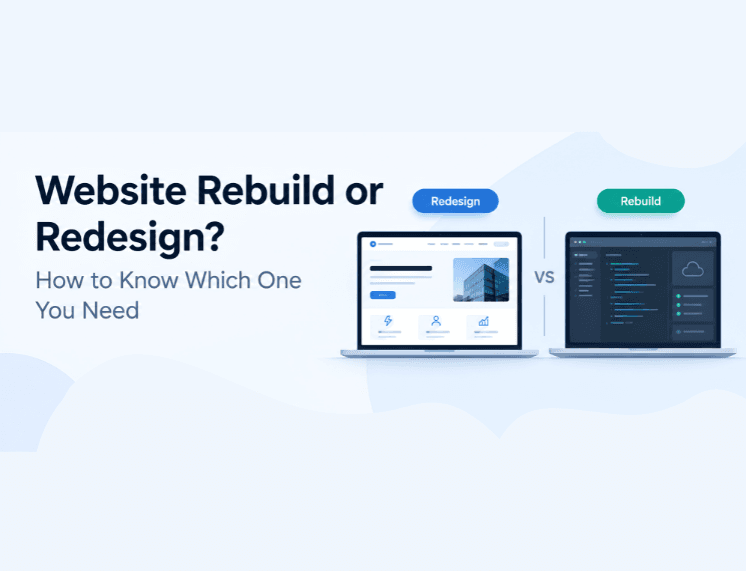
A website redesign updates the look of your site and how people click through it. This happens on the system you already use.
A website rebuild goes deeper. It swaps out the whole setup, including the code, the CMS, the hosting, and the links to other tools.
Start with a redesign when the core is fine, but the style is not. Pick a rebuild when the core is broken.
The rest of this guide shows you how to tell which situation you're in before you sign a proposal.
Website Rebuild or Redesign: What Actually Changes
Think of your website as a building. A redesign moves interior walls, replaces the furniture, and puts up better signs so people find the right room faster. A rebuild tears out the wiring and plumbing because the old systems can't carry the load anymore.
Both projects can end with a site that looks brand new. The difference is what happens six months later. A redesign on a weak foundation still loads slowly, still breaks when you add a feature, and still needs a developer for every small edit.
A rebuild on a site that only needed a refresh burns budget and time you didn't have to spend.
Redesign | Rebuild | |
What changes | Visual design, page layouts, navigation, copy | Codebase, CMS, hosting setup, data structure, integrations |
What usually stays | Platform, most URLs | Domain and brand; URLs only if you plan for it |
Relative timeline | Weeks | Months |
Search ranking risk | Low when URLs stay the same | Higher; needs a migration plan |
Fixes slow server response | No | Yes |
Fixes integration problems | No | Yes |
Timelines and budgets vary a lot by page count, content volume, and the number of systems your site talks to. Treat any published price range as a rough starting point, not a quote. A partner who has actually looked at your setup will give you a number you can trust.
Signs a Redesign Is Enough
Start with speed, because it's the easiest thing to measure honestly. Run your key pages through PageSpeed Insights and look at the field data, not just the lab score.
Google's Web Vitals guidance sets clear targets: the main content should load within 2.5 seconds, the page should respond to a tap or click in 200 milliseconds or less, and the layout should barely shift while it loads. If your pages hit those marks on mobile, your foundation is doing its job.
Next, look at where visitors drop off. Healthy traffic with weak conversions points to a messaging and layout problem. People arrive, can't work out what you do or what to click, and leave.
A sharper value proposition, clearer page structure, and a single obvious next step fix that. None of it requires new infrastructure.
Check how your team works with the site day to day. If your marketing lead can publish a case study or update a service page without filing a developer ticket, the CMS is serving you well. Keep it.
The last common trigger is a brand change. New positioning, new services, or a new visual identity are classic redesign territory. Your platform doesn't care what your logo looks like.
If that sounds like your site, redesign and put the savings into content and conversion testing.
When to Rebuild a Website Instead
The clearest rebuild signal is software that has run out of support. Many business websites run on PHP, the language behind most popular CMS platforms.
According to the official PHP release schedule, each version gets two years of active support and two more years of security fixes only. After that, it reaches end of life and stops receiving patches. PHP 8.2 loses security support on 31 December 2026.
If your site is locked to an old CMS version that can't move to a supported PHP release, a new design sits on top of an open door.
Speed problems that live on the server are the second signal. A redesign can compress images and trim scripts. It can't fix a slow database, an overloaded host, or a theme that builds every page from scratch on each visit. When your developer says the fix requires changing how the site is built, believe them.
Integrations are the third. Growing companies want their website connected to a CRM, a booking system, a client portal, or an AI assistant that answers buyer questions at 2 am. Older platforms often can't support those connections cleanly. Every workaround adds cost and another point of failure.
When a simple pricing update needs a week and a developer invoice, your platform costs far more than its hosting bill.
Growth is the final test. If a campaign or a trade show spike slows your site down, your infrastructure is setting a ceiling on your marketing. Our web development team sees this pattern often in companies that have doubled in size since their site launched.
Why Speed Decides Most Rebuild Calls
Speed sits at the center of this decision because it's where design and infrastructure meet. Visitors don't separate the two. A beautiful page that hangs for four seconds still feels broken.
The most cited research on this comes from Milliseconds Make Millions, a study commissioned by Google and run by Deloitte and 55. It tracked mobile data from 37 retail, travel, luxury, and lead generation brands across Europe and the US. A 0.1 second improvement in mobile speed lifted conversions by 8.4% for retail sites and 10.1% for travel sites, according to Google's summary of the findings.
Read those numbers with care. The headline results come from retail and travel, not B2B services, and the data was collected in late 2019. Your exact gain will differ. The direction holds, though: small speed gains move real buyers through the funnel.
Most sites still fall short. The 2025 Web Almanac performance chapter from HTTP Archive found that only 48% of mobile sites pass all three Core Web Vitals. That's an improvement on previous years, and it still means more than half the web fails Google's own user experience bar on phones.
Here's why that matters for your decision. If your site fails because of oversized images and a heavy slider, a redesign fixes it. If it fails because the server takes too long to respond before anything appears, no amount of visual polish will help. Ask your developer which one it is. The answer often settles the whole debate.
How to Protect Your Rankings During a Rebuild
The biggest fear around rebuilds is losing search traffic. The fear is fair, and the risk is manageable when you plan for it.
Google is direct about what to expect. Its guide to site moves with URL changes warns that rankings will fluctuate for a while during a move.
It also confirms that 301 and other permanent redirects don't cause a loss in PageRank. The damage comes from missing redirects, not from redirects themselves.
Google's Change of Address documentation adds a warning worth reading twice. If you combine a move with a redesign of your content and URL structure, you'll likely see some traffic loss while Google relearns your pages.
Google recommends keeping redirects in place for as long as possible, generally for at least one year, especially when the old URLs still receive search traffic.
A safe migration follows a predictable order. Crawl the old site and export every URL that has traffic or backlinks. Map each one to its new home before any code ships.
Carry over page titles, meta descriptions, and structured data. Test the full redirect map on a staging server, then launch during a quiet week and watch Search Console daily for the first month.
A rebuild is also a good opportunity to strengthen your site's technical SEO. Make sure important content is accessible to search engines, your headings are clear, your internal links are useful, and any structured data accurately reflects the content on the page. These fundamentals also support visibility in Google's AI search experiences.
How to Decide Between a Website Rebuild or Redesign
You can get most of the way to an answer in an afternoon. Sit down with whoever manages your site and answer these five questions honestly.
Do your key pages pass Core Web Vitals on mobile, using real user data?
Can your team publish and edit content without a developer?
Is your CMS, and the server language it runs on, still receiving security updates?
Does the site connect cleanly to the tools your sales and operations teams use every day?
Could it handle three times your current traffic without slowing down?
If most of your answers are yes, your foundation is probably in good shape, so a redesign may be enough. If you answer no to two or more, it's worth discussing whether the underlying platform needs to be rebuilt.
There's a middle path for companies that can't afford downtime or a large upfront spend. A phased rebuild replaces the system underneath in stages while the public site keeps running.
Some teams start with a new front end connected to the existing content, then migrate the back end once the new front end proves itself. It takes longer overall. It also spreads the cost and lets you measure results at each stage before committing more.
Whichever way you lean, get the technical audit done before the design brief. Design decisions made on top of an unknown foundation are the most expensive kind. If you want more guides like this one, browse the Flaidex blog.
Frequently Asked Questions
What is the difference between a website redesign and a website rebuild?
A redesign updates the visual design, layout, navigation, and content on your current platform. A rebuild replaces the platform itself, including the code, CMS, hosting, and integrations. A redesign changes how your site looks and reads. A rebuild changes how it works and what it can support as your business grows.
How long does a website rebuild take?
A rebuild takes noticeably longer than a redesign because it involves new architecture, content migration, and redirect testing. The real timeline depends on page count, the number of integrations, and how much content needs restructuring. Ask any agency for a phased plan with milestones rather than a single launch date.
Will a website rebuild hurt my SEO?
Google states that rankings fluctuate temporarily during a site move, and that permanent 301 redirects don't lose PageRank. Most lasting damage comes from missing redirects or deleted content. Map every old URL to a new one, keep redirects live for as long as possible, generally for at least one year, and monitor Search Console closely after launch.
How much does a website redesign cost?
Published price ranges vary widely because scope varies widely. The main cost drivers are the number of unique page templates, the volume of new copy and imagery, and any custom functionality. Ask for an itemized quote tied to a defined scope, so you can compare proposals line by line.
How do I know if my website platform is outdated?
Check three facts with your developer or host. Find out whether your CMS version still receives security updates, which PHP or server language version it runs on, and when your plugins were last updated. If any of those are out of support, plan a rebuild conversation before planning a redesign.
Get a Straight Answer Before You Spend
The real question was never whether your site looks old. It's whether the system underneath can carry the next three years of your business. A redesign answers the first problem. Only a rebuild answers the second.
If you can't tell which one you're facing, let someone look under the hood before you commit budget. Flaidex runs technical website audits for growing companies and tells you plainly what your site needs, even when the honest answer is a simple redesign. Book your website audit.