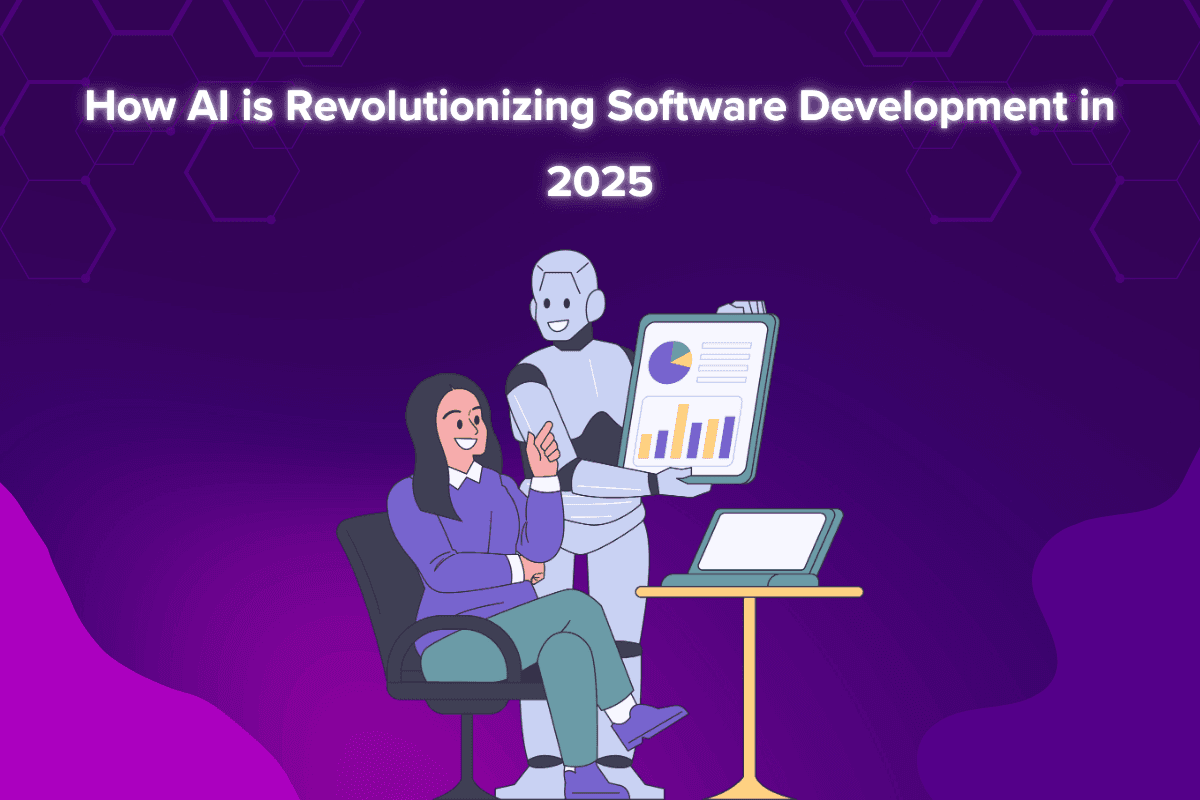
How AI Is Changing Software Development
AI now sits inside most developers' daily tools. It drafts code, points at likely bugs, writes first-pass tests and flags risky patterns before a human reviewer ever sees them.
What it hasn't changed is who's responsible for the result. The teams getting real value treat AI as a fast junior pair: useful, tireless, and in need of review.
The Role of AI in Software Development
AI shows up at almost every stage of a build now, from the first scaffold to production monitoring. Most teams use it to write code faster, test more of it, and spot performance problems earlier.
Where it's doing actual work today:
Automated Code Generation: suggests and drafts code, from single lines to whole functions, so developers spend less time on boilerplate.
AI-Driven Debugging: reads stack traces and surrounding code and proposes likely fixes.
Automated Testing: generates test cases, including edge cases a tired developer skips.
AI-powered security: scans code and dependencies for known vulnerability patterns.
Project Management: estimates timelines from past work and flags tasks that are drifting.
Database Optimization: suggests indexes and rewrites slow queries.
The payoff is time. Less of the day goes on repetitive work, and more goes on the design decisions that actually need a person.
Key Benefits of AI in Software Development
Here's what that looks like in practice:
Faster Software Development
Speed is the obvious win. AI drafts routine code and tests in seconds, which frees developers to spend their hours on the parts of the system that are hard.
Code completion cuts the time spent on boilerplate and familiar patterns.
Generated tests cover the routine cases so people can write the tricky ones.
Some tools flag likely errors while you type, before they become bug reports.
Improved Software Quality
AI won't make software bug-free, but it catches a class of problems earlier, when they're cheap to fix.
Refactoring suggestions help keep code readable as a project grows.
Analysis tools surface slow paths and performance regressions.
Enhanced Security
Security review is where a second pair of eyes pays off most, and AI is a cheap second pair.
Monitoring tools flag unusual traffic or access patterns that may signal an attack.
Scanners highlight risky code and vulnerable dependencies before release.
Suggested patches help developers close known holes quickly.
Reduced Costs
Cost savings come from automating the repetitive parts of the job, not from skipping steps.
A smaller team can cover more ground when routine work is automated.
Automated testing cuts the hours spent on manual regression passes.
Catching problems earlier lowers the cost of maintaining the software later.
Personalized User Experience
AI also changes what the software itself can do for the people using it.
Interfaces can adapt to how each user actually works.
Support chatbots answer routine questions and hand the rest to a person.
Usage analysis shows the design team where people get stuck.
AI-Powered Applications in Software Development
The tooling is where most teams first meet AI. The main categories:
AI in Code Generation
Code assistants sit in the editor, suggest the next line or function, and review what you've written.
AI Tool | Function |
GitHub Copilot | Suggests code and whole functions inside the editor |
Snyk Code (formerly DeepCode) | Scans code for security vulnerabilities |
AWS CodeGuru | Recommends performance and code-quality improvements |
Tabnine | AI code autocompletion |
Tabnine | AI code completion across many languages |
Challenges of AI Integration in Software Development
None of this comes free. These are the problems teams actually run into:
Bias in AI Algorithms
A model trained on incomplete or skewed data will make skewed decisions. If AI is making choices about people (who gets approved, flagged or prioritized), the training data has to reflect the real range of cases.
Then audit the decisions on a schedule, because bias often shows up in the outputs long after the data looked fine.
Security Risks
AI-generated code can contain vulnerabilities, and AI features themselves become a target once they're exposed to users.
Test AI tools and the code they produce for security problems before anything ships.
And keep AI-based security systems updated, because the threats they're watching for change constantly.
Transparency Issues
When an AI system can't explain why it made a decision, nobody can be held accountable for it. Build models whose outputs can be explained, at least to the people who operate them.
Users should see a clear reason behind a recommendation, or they won't trust it.
Document how the system reaches its decisions too, so the next developer can check and improve it.
Compliance with Regulations
AI features still have to meet the same legal and ethical requirements as the rest of your software. That starts with data privacy laws and how user information is stored and processed.
Beyond the legal minimum, decide early who is accountable for what the AI does, and write it down.
Ethical Considerations in AI-Driven Development
Using AI responsibly comes down to a few habits:
Explainability: people affected by an AI decision should be able to understand it.
Security of Generated Code: test AI-written code for security risks like any other code.
Avoiding Over-Reliance on AI: a developer still reads and approves every AI-generated change.
Data Privacy: sensitive user data never goes into a tool that could expose or misuse it.
Shaping Developer's Skills for an AI-Driven Future
The job is shifting from typing code to directing, reviewing and integrating it.
That means knowing how AI tools work under the hood, including the basics of machine learning, so you can tell when a suggestion is plausible and when it's confidently wrong.
It also means working AI into the delivery pipeline: automated checks in DevOps, and cloud services that bring AI capabilities into the product.
Knowing the ethical and legal limits is part of the job now, not a specialist concern.
The skills that hold their value are the human ones: breaking down a problem, judging trade-offs, and explaining a decision to the business.
Short courses and certifications help you keep up, since the tools change every few months.
For more on the skills behind good software development, read our guide.
Future Trends in AI and Software Development
Where things are heading next:
Better AI development tools: assistants that understand more of the codebase at once.
AI in DevOps: more automation in deployment, monitoring and incident response.
Smarter AI Algorithms: models that learn from a team's own code and review history.
AI in Cloud Computing: cloud services that tune resources automatically to cut waste and cost.
Closer collaboration between AI and developers: AI takes on more of the routine work, and developers stay in charge of the decisions.
Conclusion
AI makes developers faster and catches problems earlier. It also brings new risks: insecure generated code, unexplained decisions, and data that ends up where it shouldn't.
Teams that adopt AI tools with clear review habits will ship faster than teams that don't. AI isn't replacing developers. It's changing the job toward judgment, review and system design, and that's where good developers were always most valuable.
FAQs
Q: How has AI impacted software development?
It has automated a large share of routine coding, testing and debugging, so teams ship faster and spend more time on design decisions.
Q: How is AI making software development easier?
It suggests code, flags likely bugs, scans for security issues and writes first-pass tests, which removes much of the repetitive work.
Q: Can AI replace human software developers?
No. AI handles routine tasks well, but understanding the problem, making trade-offs and taking responsibility for the result still need a person.
Q: Is AI-generated code secure?
Not automatically. AI-written code can contain vulnerabilities, so it needs the same review and testing as code a person wrote.